UAD 3.6 series Part 1 of 7
The Signal / UAD 3.6 / October 17, 2026
One report for every propertyHow UAD 3.6 replaces 13 appraisal forms with six data points
Starting November 2, 2026, new appraisals delivered to Fannie Mae and Freddie Mac use the redesigned Uniform Residential Appraisal Report. Facts about the property decide its shape, its fields carry IDs, and 728 compliance rules check it before a reviewer opens it. This first part of a seven-part series covers the structure every later part relies on.
The redesigned URAR is required for new appraisal submissions to Fannie Mae and Freddie Mac from November 2, 2026. Lenders with an approved exception under Lender Letter LL-2026-08 can keep submitting UAD 2.6 reports through May 19, 2027.8 The new report replaces 13 legacy forms, and the report a reader sees depends on answers about the property rather than a form number chosen at the start.1
This series is written for collateral risk teams, review appraisers and real estate professionals who already know the 1004. Part 1 covers the structure: which data decides the report’s shape, how the delivered file is built, which checks now run on data, and which questions still need a reviewer. Parts 2 to 7 each take one section of the report in depth.
Field numbers, rule counts and examples come from the GSE documents themselves, with page numbers in the source list. The house in the illustrations is fictional, and it appears in every part of the series.
Thirteen legacy forms become one report
Appendix F-1, the GSEs’ 378-page reference guide to the new report, opens with the list of forms it replaces: the 1004 with its Desktop and Hybrid versions, the 1073 family and the 1075 for condominiums, the 2055 exterior-only report, the 1004C for manufactured homes, the 2090 and 2095 for cooperatives, the 1025 for two- to four-unit properties and the 1007 rent schedule. That is 13 Fannie Mae form numbers. Freddie Mac numbers 11 of them; the two cooperative forms never had one.1
All 13 forms, with both GSE numbers
| Legacy form | Fannie Mae | Freddie Mac |
|---|---|---|
| Uniform Residential Appraisal Report | 1004 | 70 |
| Uniform Residential Appraisal Report (Desktop) | 1004 Desktop | 70D |
| Uniform Residential Appraisal Report (Hybrid) | 1004 Hybrid | 70H |
| Individual Condominium Unit Appraisal Report | 1073 | 465 |
| Individual Condominium Unit Appraisal Report (Desktop) | 1073 Desktop | 465D |
| Individual Condominium Unit Appraisal Report (Hybrid) | 1073 Hybrid | 465H |
| Exterior-Only Inspection Individual Condominium Unit Appraisal Report | 1075 | 466 |
| Exterior-Only Inspection Residential Appraisal Report | 2055 | 2055 |
| Manufactured Home Appraisal Report | 1004C | 70B |
| Individual Cooperative Interest Appraisal Report | 2090 | None |
| Exterior-Only Individual Cooperative Interest Appraisal Report | 2095 | None |
| Small Residential Income Property Appraisal Report | 1025 | 72 |
| Single Family Comparable Rent Schedule | 1007 | 1000 |
The 1004D changes as well. Its update and completion functions become two separate reports, the Restricted Appraisal Update Report and the Completion Report. Each must use the same format as the original appraisal, because UCDP does not accept UAD 2.6 and UAD 3.6 under one Document File ID.7
- BeforeThree forms, one designEach legacy form is a page of numbered boxes. The 1073 adds project fields; the 2055 condenses the improvements block.
- The patternCopy a form, change its boxesAll three share the same neighborhood block layout and boilerplate. A new property type meant a new copy.
- AfterOne report, one Summary pageThe URAR shows the same kind of facts as labeled rows. This is the GSEs’ SF1 sample, valued at $491,000 subject to repair.
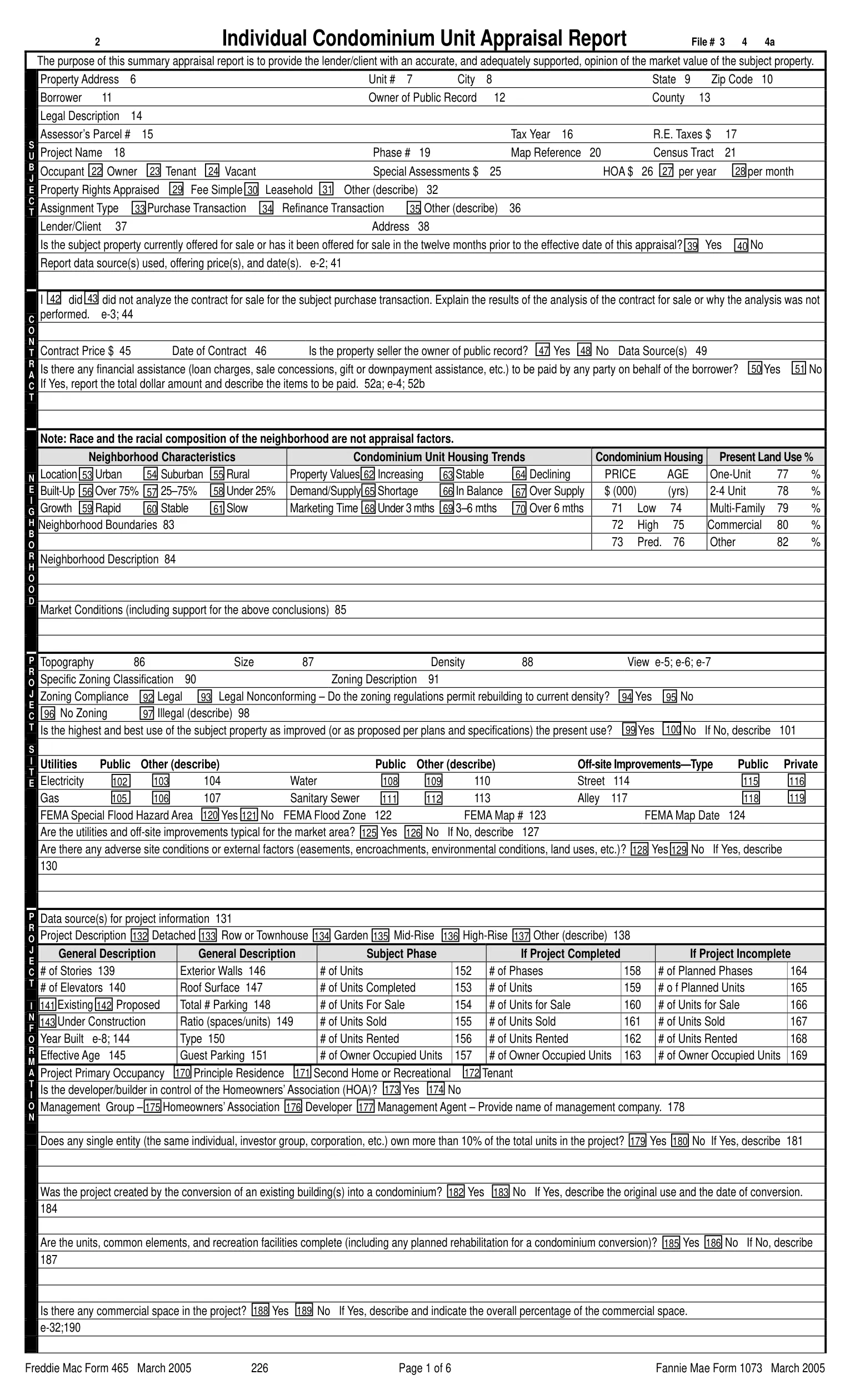
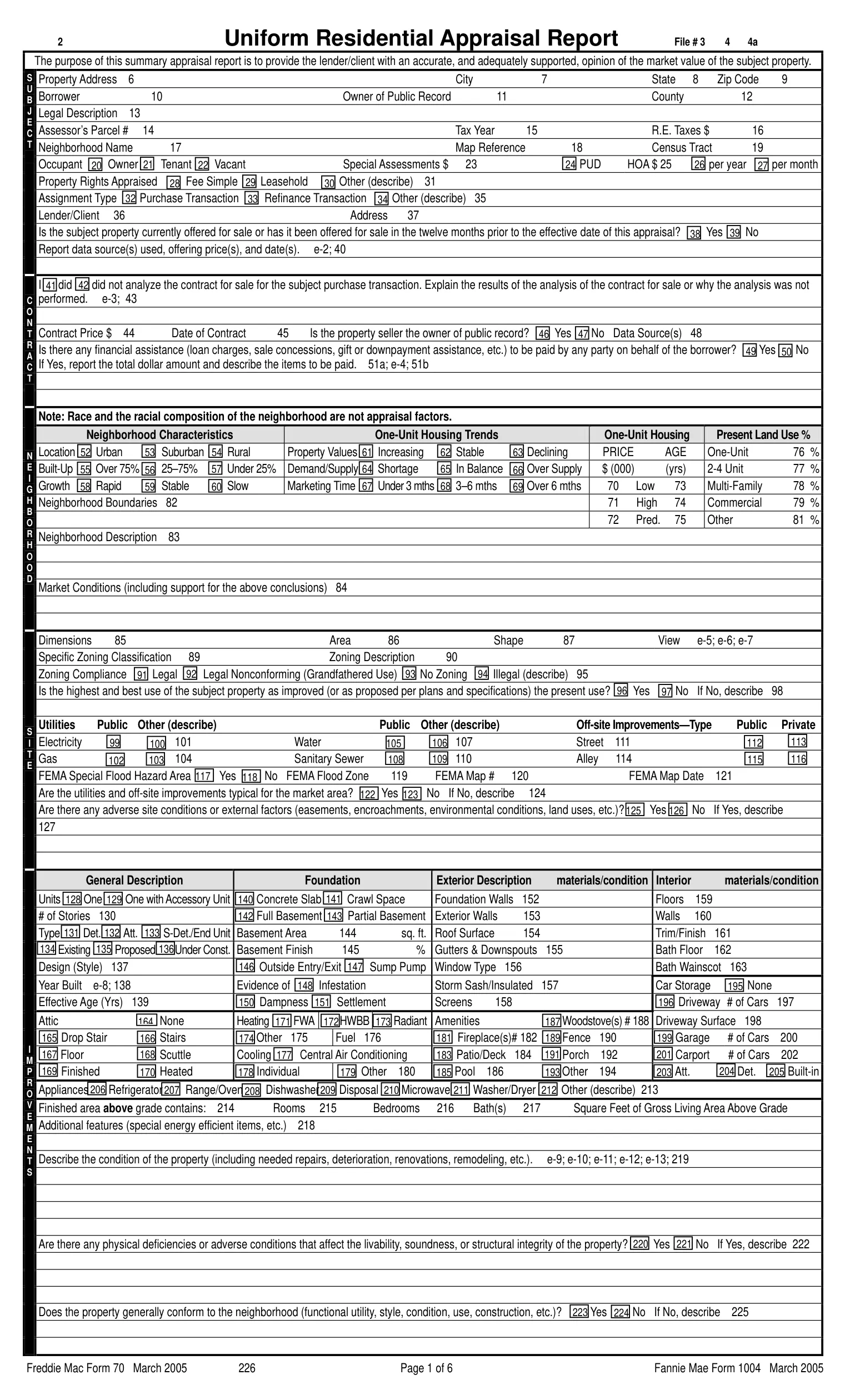
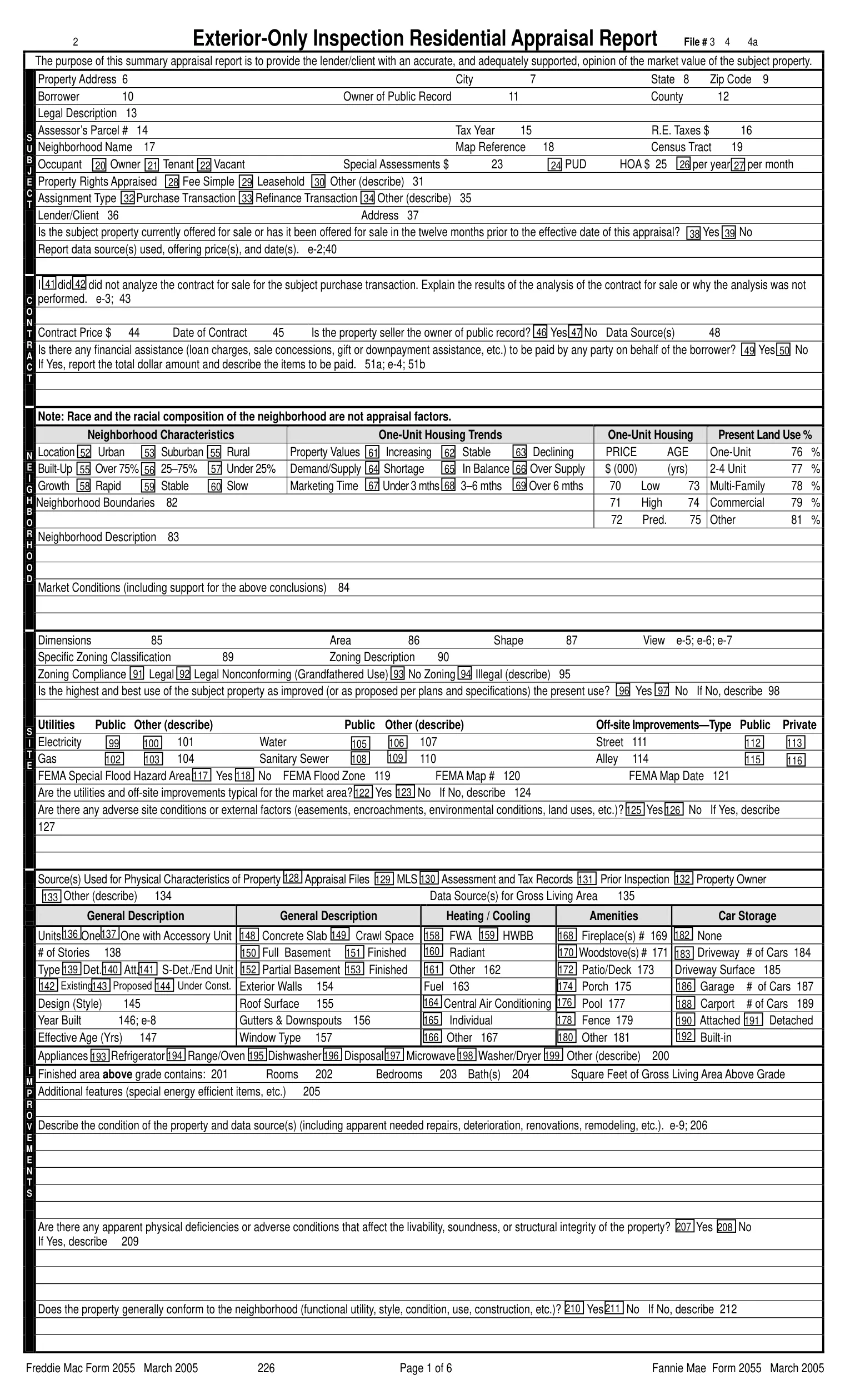
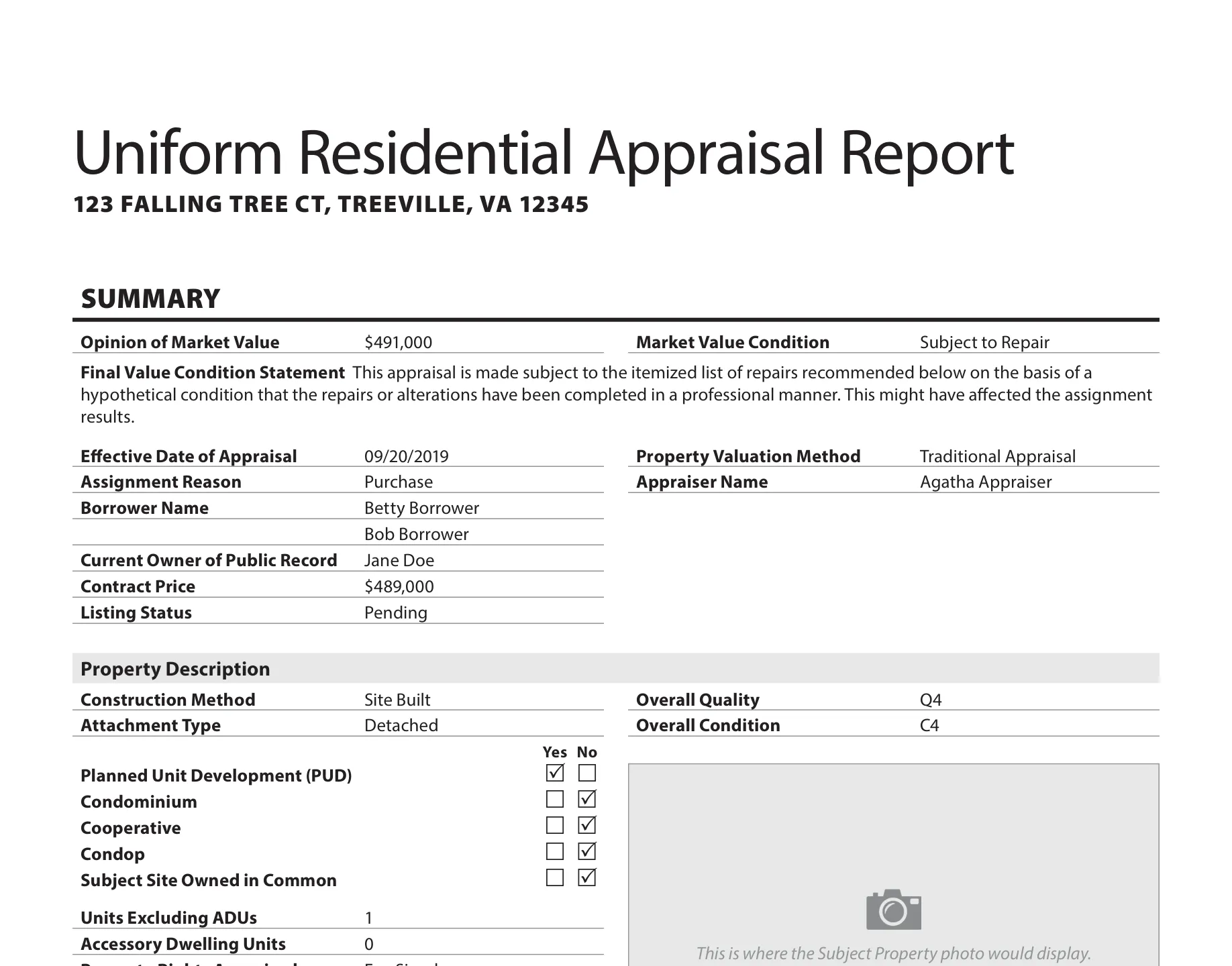
Sources: legacy Forms 1004/70, 1073/465 and 2055, March 2005 editions, page 1 of each;6 URAR Summary from the GSE SF1 sample report, v1.4, p. 3.5
The SF1 Summary page carries an opinion of market value of $491,000, a Market Value Condition of Subject to Repair, a $489,000 contract price and the property description, each on its own labeled row. On the legacy 1004 the same facts were spread across numbered boxes on two pages.
Sources: Form 1004/70, March 2005;6 Appendix D-1 sample reports, v1.4.5 Length follows the property: the cooperative sample is the shortest and the manufactured home sample the longest.
Data table
| Report | Pages |
|---|---|
| Legacy Form 1004 / 70 | 6 |
| Coop1 sample | 20 |
| SF1 sample | 23 |
| Condo1 sample | 24 |
| 2- to 4-unit sample | 31 |
| MH1 sample | 32 |
Six data points decide what the rest of the report looks like
The GSEs’ job aid on the change puts the rule in one sentence: “With the new URAR, the data that describes the subject property drives the appraisal report, not a form type/number.”2 It names six data points. Each has a MISMO unique identifier (UID) and a Report Field ID on the Summary page, and the Summary copies each one from an earlier section of the report.12
| Data point | UID | Summary field | Copied from |
|---|---|---|---|
| Property Valuation Method | 1000.0158 | 1.010 | Assignment Information 2.004 |
| Construction Method | 0300.0034 | 1.012 | Dwelling Exterior 8.011 |
| Subject Site Owned in Common | 0100.0047 | 1.020 | Subject Property 3.015 |
| Project Legal Structure | 2500.0168 | 1.016 to 1.018 | Subject Property 3.011 to 3.013 |
| Units Excluding ADUs | 0100.0022 | 1.021 | Subject Property 3.005 |
| Accessory Dwelling Units | 0100.0019 | 1.022 | Subject Property 3.006 |
Sources: Functioning without Form Numbers, v1.1, pp. 4 to 5;2 Appendix F-1 v1.4, pp. 27 to 30, Origin of Information column.1
The job aid maps every legacy form to combinations of those six values. A 1073 is a Project Legal Structure of Condominium with the site owned in common. A 1004C is a Construction Method of Manufactured. A 1025 is two, three or four units excluding ADUs. The valuation method then picks the version: Traditional, Desktop, Hybrid or Exterior.2
The job aid’s full mapping table
| Legacy report | Fannie / Freddie numbers | Covers | Valuation method | Construction method | Site owned in common | Project legal structure | Units | ADUs |
|---|---|---|---|---|---|---|---|---|
| Uniform Residential Appraisal Report | 1004, 1004 Desktop, 1004 Hybrid, 2055 Exterior 70, 70D, 70H, 2055 | 1-unit property, including in a PUD, with or without an ADU, detached condo | Traditional, Desktop, Hybrid, Exterior | Container, Modular, On-Frame Modular, Site Built, 3D Technology | Yes or No | None | 1 | 0 or 1 |
| Individual Condominium Unit Appraisal Report | 1073, 1073 Desktop, 1073 Hybrid, 1075 Exterior 465, 465D, 465H, 466 | Condominium unit, attached or detached | Traditional, Desktop, Hybrid, Exterior | Container, Modular, On-Frame Modular, Site Built, 3D Technology | Yes | Condominium | 1 | 0 or 1 |
| Individual Cooperative Interest Appraisal Report | 2090, 2095 Exterior None | Cooperative unit, attached or detached | Traditional, Exterior | Container, Modular, On-Frame Modular, Site Built, 3D Technology | Yes | Cooperative | 1 | 0 or 1 |
| Manufactured Home Appraisal Report | 1004C 70B | Manufactured home, including in a PUD, condominium project or cooperative | Traditional | Manufactured | Yes or No | Condominium or Cooperative | 1 | 0 or 1 |
| Small Residential Income Property Appraisal Report | 1025 72 | 2- to 4-unit property, including a 2- or 3-unit with an ADU | Traditional | Container, Modular, On-Frame Modular, Site Built, 3D Technology | Yes or No | Condominium or Cooperative | 2, 3 or 4 | 0 or 1 |
The same job aid lists properties that never had a clean legacy form, and presents the dynamic report as the way to carry them:2
- Properties with more than one ADU
- Site condominiums
- A manufactured home with more than one unit
- A manufactured home with an additional construction method
- A manufactured home in a condominium or cooperative
- Hybrid valuation, independent of property type
- Desktop valuation, independent of property type
- Condops
Field lift: the GSE SF1 sample
The six fields, plus one checkbox, on SF1’s Summary page
- 1.010Property Valuation MethodTraditional Appraisal
- 1.012Construction MethodSite Built
- 1.015Planned Unit DevelopmentYes
- 1.016 to 1.018Condominium, Cooperative, CondopNo, No, No
- 1.020Subject Site Owned in CommonNo
- 1.021Units Excluding ADUs1
- 1.022Accessory Dwelling Units0
SF1 shows that the six fields are not the whole rule. It is a detached single-family house, and its Summary reports Planned Unit Development: Yes. F-1 displays Section 18, Project Information, when a property is in a condominium, condop or cooperative project or in a PUD. SF1’s report therefore carries a Project Information section with a $34 monthly fee, on a file a reviewer might file under “single-family.”15
F-1’s section table decides the rest. Of the 29 numbered sections, 17 always display. Section 9, Manufactured Home, displays when there is a manufactured home on the property. Unit Interior always displays and repeats for each unit and each ADU. The other ten conditional sections depend on facts the six fields do not hold: mitigation features, energy data, an outbuilding, an active sales contract, the valuation approaches the appraiser develops, revisions and supplements.1
Property explorer
Pick a property and see which of the 29 sections it gets
Applies only the display rules on F-1 pages 11 and 12 that the six fields and the PUD checkbox can decide. Sections that depend on other facts stay hatched.12
- 1.010Property Valuation Method
- Traditional
- 1.012Construction Method
- Site Built
- 1.020Subject Site Owned in Common
- No
- 1.016 to 1.018Project Legal Structure
- None
- 1.021Units Excluding ADUs
- 1
- 1.022Accessory Dwelling Units
- 0
- 01SummaryAlways displays. Always displays.
- 02Assignment InformationAlways displays. Always displays.
- 03Subject PropertyAlways displays. Always displays.
- 04SiteAlways displays. Always displays.
- 05Disaster MitigationWhen there are disaster mitigation features. Decided by facts outside the six fields.
- 06Energy Efficient and Green FeaturesWhen there are known renewable energy components, building certifications or efficiency ratings. Decided by facts outside the six fields.
- 07SketchAlways displays. Always displays.
- 08Dwelling ExteriorAlways displays. Repeats per dwelling. Always displays.
- 09Manufactured HomeWhen there is a manufactured home on the property. Repeats per manufactured home. Decided by Construction Method.
- 10Unit InteriorAlways displays. Repeats per unit or ADU. Always displays.
- 11Functional ObsolescenceAlways displays. Always displays.
- 12OutbuildingWhen there is an outbuilding on the property. Repeats per outbuilding. Decided by facts outside the six fields.
- 13Vehicle StorageAlways displays. Always displays.
- 14Subject Property AmenitiesAlways displays. Always displays.
- 15Overall Quality and ConditionAlways displays. Always displays.
- 16Highest and Best UseAlways displays. Always displays.
- 17MarketAlways displays. Always displays.
- 18Project InformationWhen the property is in a project (condominium, condop, cooperative) or in a PUD. Decided by Project Legal Structure or PUD.
- 19Subject Listing InformationAlways displays. Always displays.
- 20Sales ContractWhen there is an active sales contract. Decided by facts outside the six fields.
- 21Prior Sale and Transfer HistoryAlways displays. Always displays.
- 22Sales Comparison ApproachWhen applicable. Decided by facts outside the six fields.
- 23Rental InformationWhen applicable. Decided by facts outside the six fields.
- 24Income ApproachWhen applicable. Decided by facts outside the six fields.
- 25Cost ApproachWhen applicable. Decided by facts outside the six fields.
- 26ReconciliationAlways displays. Always displays.
- 27Revision HistoryWhen applicable. Decided by facts outside the six fields.
- 28Supplemental InformationWhen applicable. Decided by facts outside the six fields.
- 29Certifications and Scope of WorkAlways displays. Always displays.
- Displays
- Turned on or repeated by these answers
- Does not display
- Depends on other facts
17 sections always display. Sections 9 and 18 stay off for this property.
Section list as a table
| # | Section | When it displays | Repeats |
|---|---|---|---|
| 1 | Summary | Always displays | |
| 2 | Assignment Information | Always displays | |
| 3 | Subject Property | Always displays | |
| 4 | Site | Always displays | |
| 5 | Disaster Mitigation | When there are disaster mitigation features | |
| 6 | Energy Efficient and Green Features | When there are known renewable energy components, building certifications or efficiency ratings | |
| 7 | Sketch | Always displays | |
| 8 | Dwelling Exterior | Always displays | per dwelling |
| 9 | Manufactured Home | When there is a manufactured home on the property | per manufactured home |
| 10 | Unit Interior | Always displays | per unit or ADU |
| 11 | Functional Obsolescence | Always displays | |
| 12 | Outbuilding | When there is an outbuilding on the property | per outbuilding |
| 13 | Vehicle Storage | Always displays | |
| 14 | Subject Property Amenities | Always displays | |
| 15 | Overall Quality and Condition | Always displays | |
| 16 | Highest and Best Use | Always displays | |
| 17 | Market | Always displays | |
| 18 | Project Information | When the property is in a project (condominium, condop, cooperative) or in a PUD | |
| 19 | Subject Listing Information | Always displays | |
| 20 | Sales Contract | When there is an active sales contract | |
| 21 | Prior Sale and Transfer History | Always displays | |
| 22 | Sales Comparison Approach | When applicable | |
| 23 | Rental Information | When applicable | |
| 24 | Income Approach | When applicable | |
| 25 | Cost Approach | When applicable | |
| 26 | Reconciliation | Always displays | |
| 27 | Revision History | When applicable | |
| 28 | Supplemental Information | When applicable | |
| 29 | Certifications and Scope of Work | Always displays |
The same logic reaches individual fields. F-1’s example is Vehicle Storage: Report Field ID 13.003, labeled Detail, holds the driveway surface material when the storage type is a driveway, and the attachment type and area when it is a garage or carport.1 A rule or a model that reads the report has to read the type first.
The same Summary page for five kinds of property
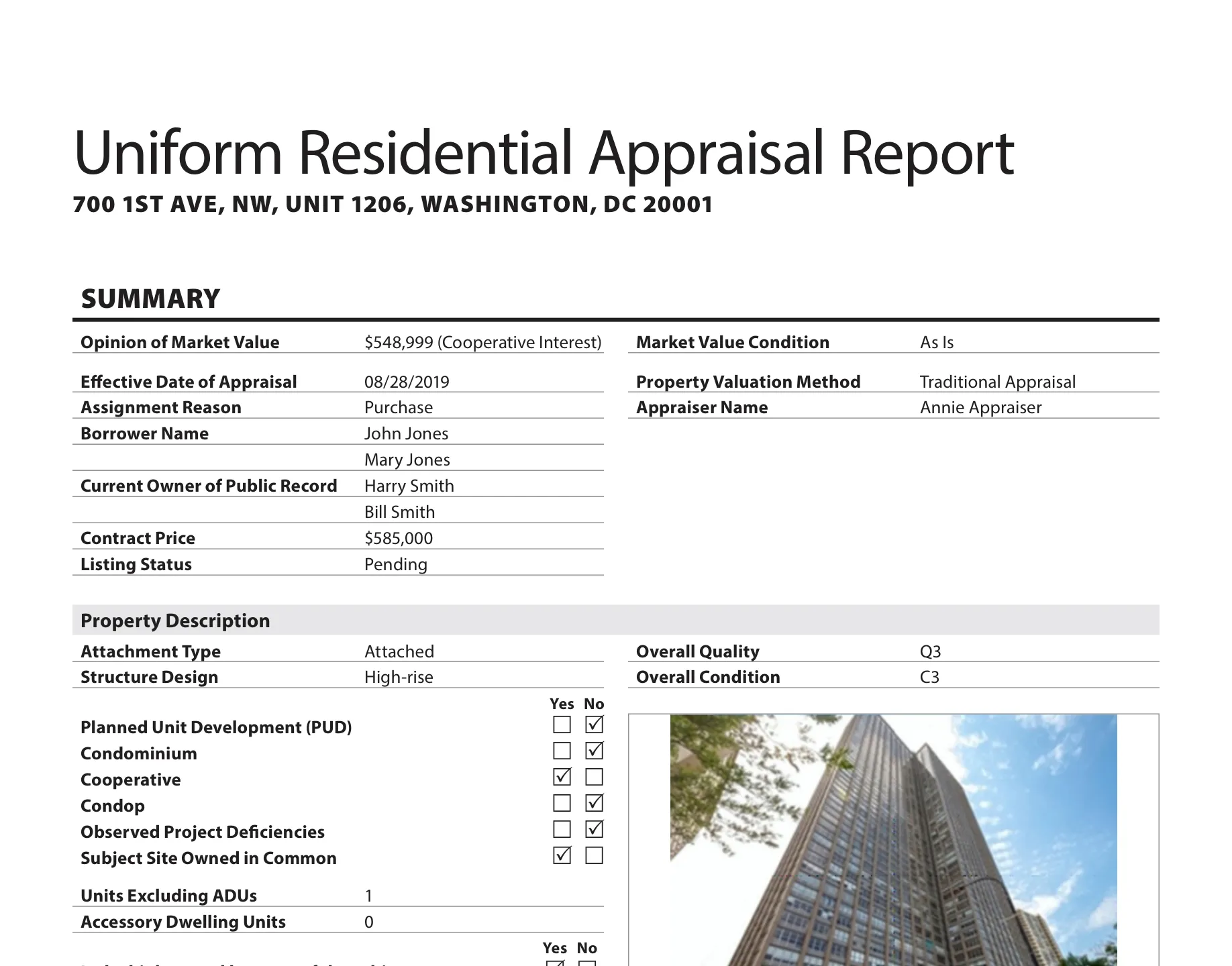
The job aid shows the Summary page for four property types, and the GSE sample set adds a cooperative. The rows change with the answers. A condominium in a mid-rise building shows Structure Design and no Construction Method row, because F-1 does not display Construction Method for low-, mid- or high-rise structures. A cooperative shows its value as a cooperative interest.125
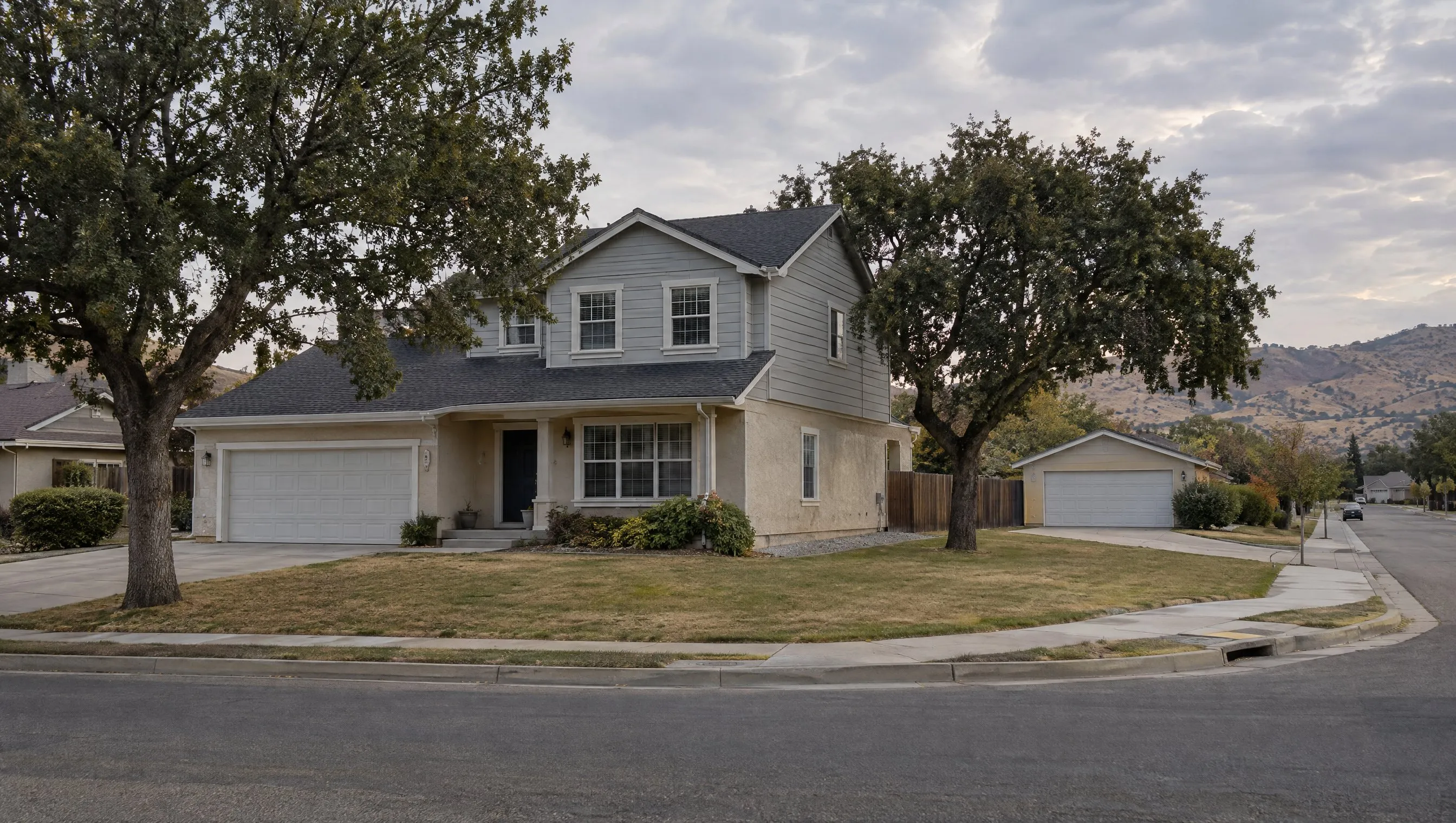
GSE sample SF1 · legacy 1004
Detached single-family
- Traditional Appraisal, Site Built, Detached
- PUD Yes, so Section 18 displays
- Units 1, ADUs 0
- Overall Q4 / C4, Subject to Repair
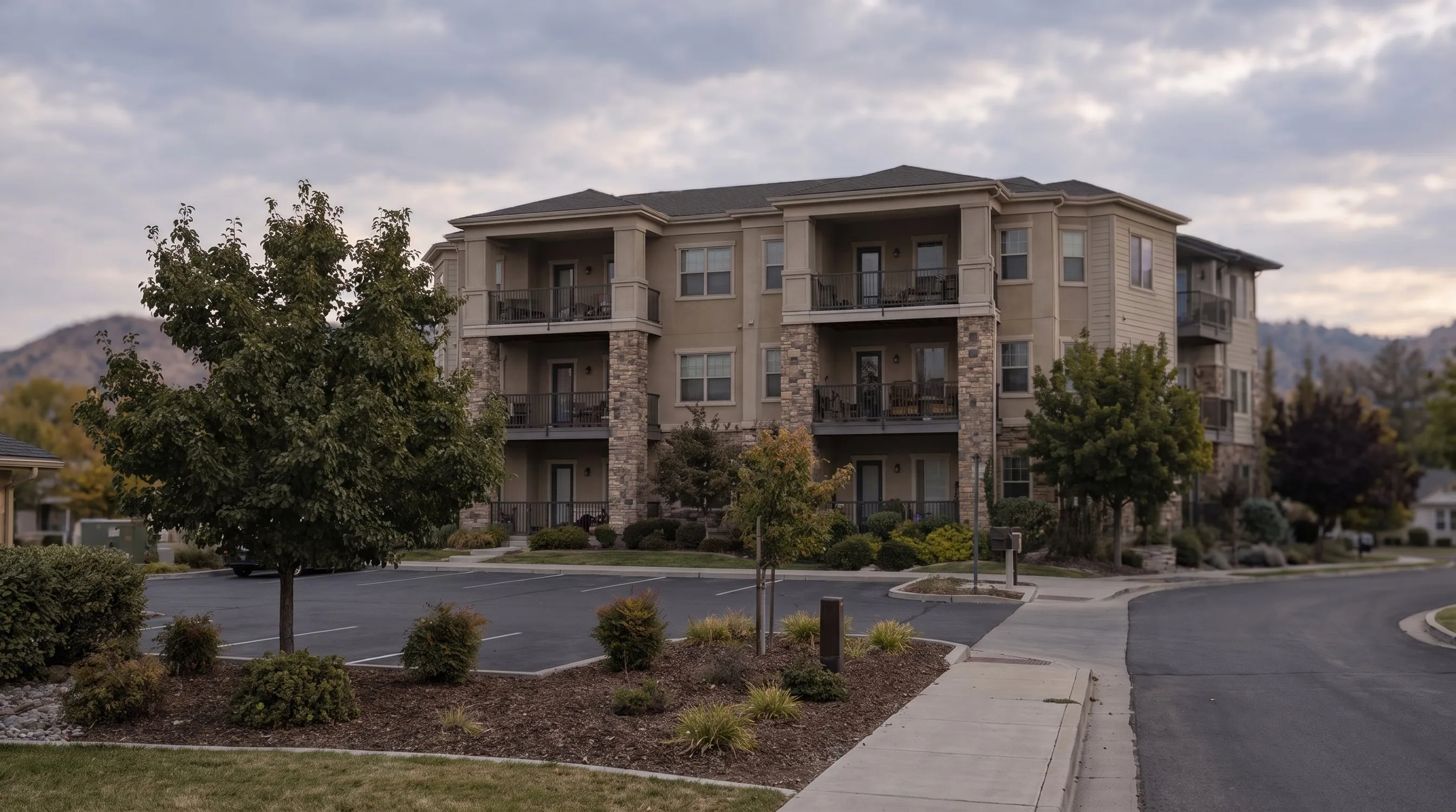
Job aid example 2 · legacy 1073
Condominium
- Hybrid Appraisal
- Structure Design: Mid-rise, no Construction Method row
- Condominium Yes, Site Owned in Common Yes
- Observed Project Deficiencies: Yes
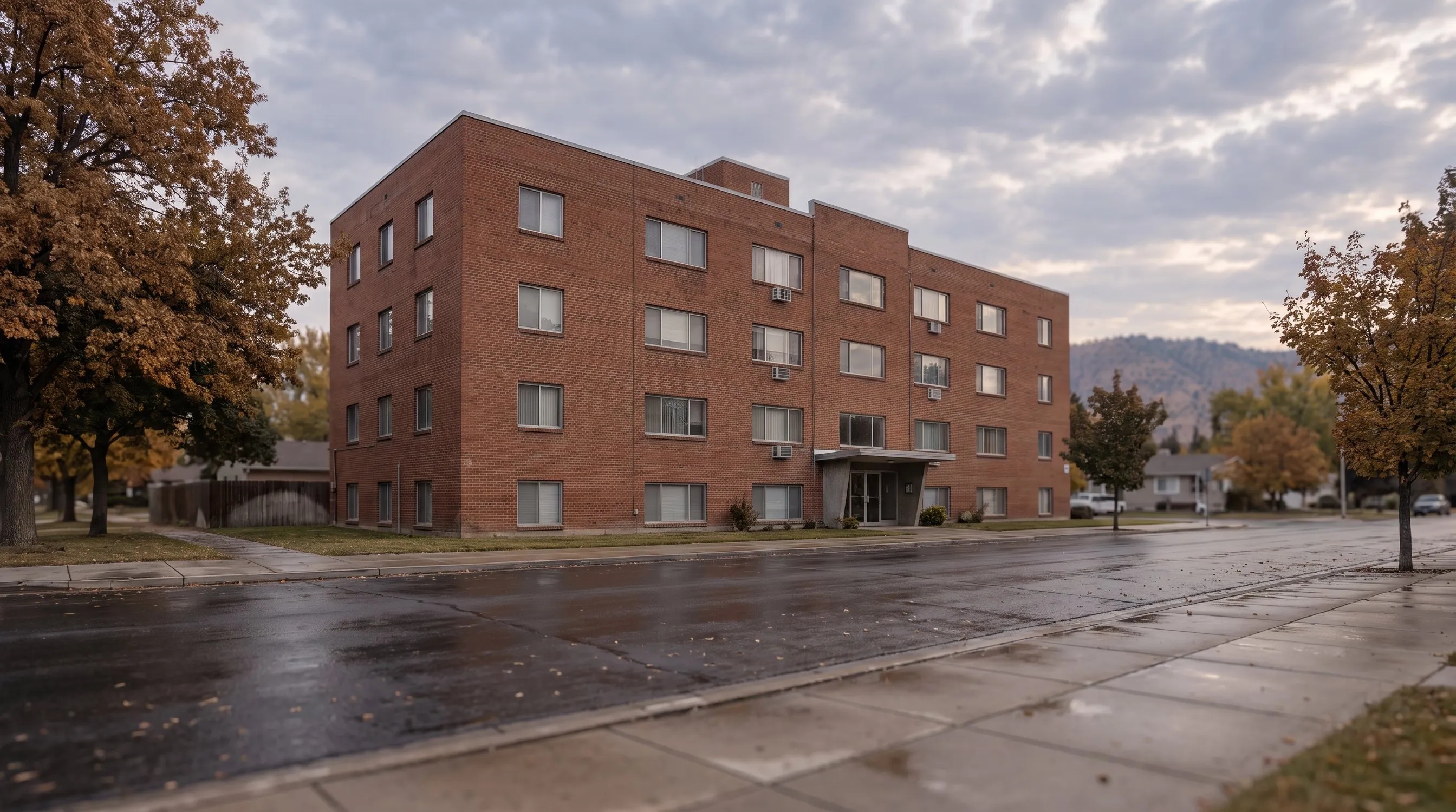
GSE sample Coop1 · legacy 2090
Cooperative
- Value shown as $548,999 (Cooperative Interest)
- Structure Design: High-rise
- Cooperative Yes, Site Owned in Common Yes
- Observed Project Deficiencies: No
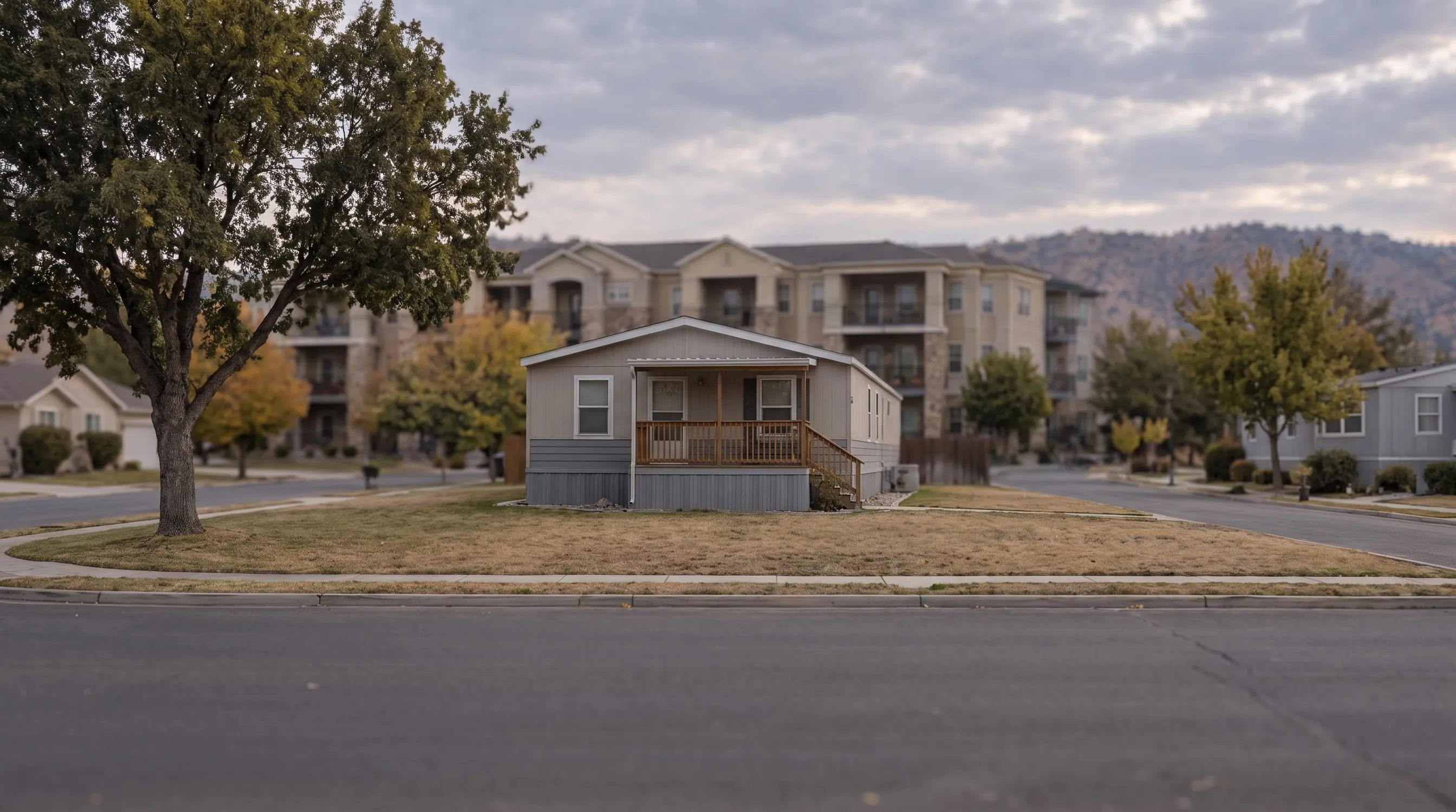
Job aid example 4 · legacy 1004C
Manufactured home
- Construction Method: Manufactured
- Detached, Units 1, ADUs 0
- Section 9 Manufactured Home displays
- Overall Q4 / C1
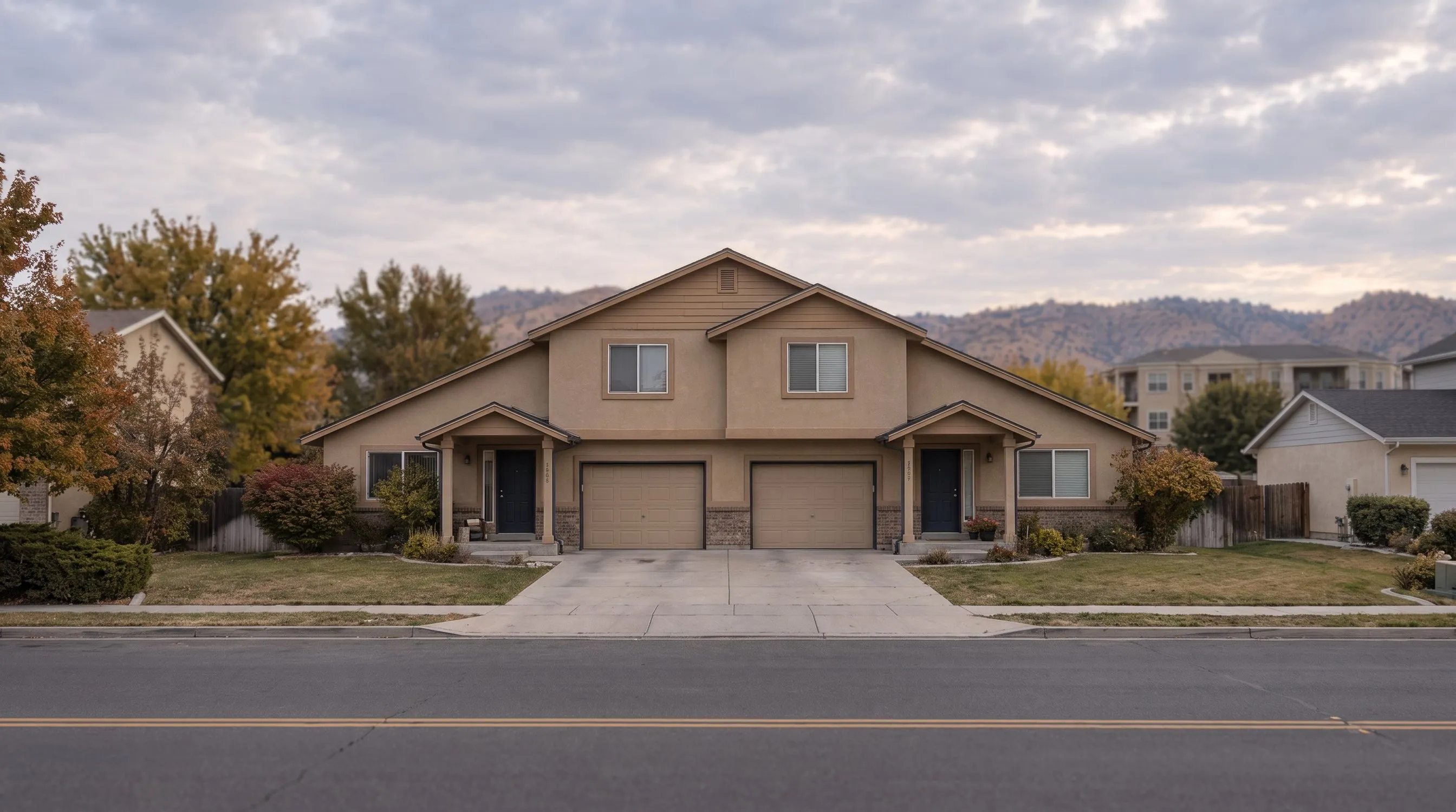
Job aid example 3 · legacy 1025
2 to 4 units
- Units Excluding ADUs: 2
- Site Built, Detached
- Unit Interior repeats once per unit
- Overall Q5 / C4 for the property
AI-generated illustrations of fictional buildings. The facts on each card come from the GSE job aid examples and sample reports, not from the pictures.
One ZIP file holds the data, the report and the images
A UAD 3.6 appraisal is delivered as one ZIP file. Appendix B-1 sets its contents: a UAD 3.6 XML file in the MISMO 3.6 format, the appraisal report PDF and a folder of images, up to 60 MB per appraisal. The same packaging applies to Restricted Appraisal Update Reports and Completion Reports.4
appraisal.zip 60 MB maximum
- One ZIP per appraisal, not to exceed 60 MB
- Images are not embedded in the XML; the XML carries image metadata and a path
- The report PDF is not embedded in the XML
- The PDF must match the content of the XML
- The PDF is first-generation (native), not password protected and not encrypted
- The folder is named "Images", case sensitive
- Every image has a unique file name and is referenced at least once in the XML
Those rules can be checked without GSE software. An operations team can open a delivery, confirm that every file in Images is referenced in the XML and that every referenced file exists, confirm the PDF opens without a password, and compare the PDF’s defect table with the XML’s DEFECT elements. None of the four checks requires a judgment about the property.
The XML records facts as typed values. The roof repair on SF1’s Summary page is this element, with its cost, its recommended action and the photo it points to:5
<DEFECT xlink:label="DEFECT_RoofDefect">
  <DEFECT_DETAIL>
    <DefectComponentLabelType>Roof</DefectComponentLabelType>
    <DefectItemAffectsSoundnessStructuralIntegrityIndicator>true</DefectItemAffectsSoundnessStructuralIntegrityIndicator>
    <DefectItemDescription>Roof is significantly worn and has damaged flashing,
      but no apparent active leaks.</DefectItemDescription>
    <DefectItemEstimatedCostToRepairAmount>1500</DefectItemEstimatedCostToRepairAmount>
    <DefectItemRecommendedActionType>Repair</DefectItemRecommendedActionType>
  </DEFECT_DETAIL>
  <IMAGES>
    <IMAGE>
      <ImageCaptionCommentDescription>Damaged Flashing</ImageCaptionCommentDescription>
      <ImageFileLocationIdentifier>\Images\SF1_RoofDefect.png</ImageFileLocationIdentifier>
    </IMAGE>
  </IMAGES>
</DEFECT>A view is a set of typed values too: a view type, its range and an impact on value or marketability. In SF1 the view is Residential, Full and Neutral.5 F-1 notes that Neutral “does not mean equal to other properties.” A subject and comparables with the same view can still differ in impact.1
<SITE_VIEW>
  <ValueMarketabilityImpactType>Neutral</ValueMarketabilityImpactType>
  <ViewPrimaryIndicator>true</ViewPrimaryIndicator>
  <ViewRangeType>Full</ViewRangeType>
  <ViewType>Residential</ViewType>
</SITE_VIEW>About 4.1 MB in total, roughly a fifteenth of the cap. Bars are scaled to 3 MB. Source: Appendix D-1 SF1 files.5
728 rules run before a reviewer opens the file
Appendix H-1 lists the compliance rules UCDP applies to a UAD 3.6 report. Version 1.5, dated August 13, 2026, has 728 rules. A Fatal message sets the UCDP submission status to Not Successful. A Warning leaves a successful status in place and flags an issue that should be reviewed.3
- Not displayed on the report101
- Site84
- Sales Comparison Approach82
- Assignment Information54
- Unit Interior52
- Project Information44
- Subject Property39
- Dwelling Exterior37
- Manufactured Home28
- Market22
- All other sections, or none listed185
- Fatal
- Warning
Source: Appendix H-1 v1.5, sheet “UAD Compliance Rules v1.5,” Report Section and Severity columns, counted by ValuSignal.3
Data table
| Section | Fatal | Warning |
|---|---|---|
| Not displayed on the report | 78 | 23 |
| Site | 66 | 18 |
| Sales Comparison Approach | 70 | 12 |
| Assignment Information | 41 | 13 |
| Unit Interior | 45 | 7 |
| Project Information | 41 | 3 |
| Subject Property | 37 | 2 |
| Dwelling Exterior | 28 | 9 |
| Manufactured Home | 19 | 9 |
| Market | 19 | 3 |
| All other sections, or none listed | 148 | 37 |
Three rules show the change for collateral review. Each turns a question a reviewer used to answer by reading into a test on two fields.
| Rule | The review question | UAD 2.6 practice | UAD 3.6 |
|---|---|---|---|
| UAD1459Fatal | How much did the appraiser rely on each comparable? | Inferred from adjustment totals and the reconciliation narrative | Comparable Weight is a required field on every comparable: Most, Less or No Weight3 |
| UAD1624Fatal | Does the value condition agree with the defects? | A reviewer compared the condition narrative with the repair list by reading both | A Subject to Repair value needs at least one defect with Recommended Action of Repair3 |
| UAD1685 to UAD1692Fatal | Which part of the property has the defect? | Named in text, if at all | When the report says a component has a defect, the XML needs a DEFECT linked by a MISMO RELATIONSHIP to that site, dwelling exterior, unit interior, outbuilding, vehicle storage or amenity3 |
| No H-1 ruleLender screen | Does the commentary contradict the grid? | Found by reading | Weights are data, so a narrative claiming equal weight can be tested against them9 |
IF ValuationUseType = "SalesComparable"
   AND ComparableWeightType IS MISSING
THEN Fatal UAD1459

IF Market Value Condition = "Subject to Repair"
   AND NO DEFECT has Recommended Action = "Repair"
THEN Fatal UAD1624

IF SiteDefectsExistIndicator = true
   AND NO DEFECT is linked to the SITE
THEN Fatal UAD1690   (similar rules cover the other components,
                       UAD1685 to UAD1692)

IF reconciliation text says "weighted equally"
   AND Comparable Weight values differ
THEN lender flag (no H-1 rule; modeled on Lessons Learned p. 14)Portfolio screens the fields make possible
- Weight concentration. Comparable Weight is now a field, so a portfolio can be screened for files where Most Weight falls on the comparable with the largest net adjustment. Part 6 covers the grid in detail.
- Defect linkage by vendor. The relationship rules tell the appraiser to contact the software vendor for help, so their Fatal messages can be tracked by software platform, separately from appraiser judgment.3
- Submission history. UCDP messages show whether a file reached Successful status on its first submission or after corrections, and that history can be tracked by vendor and by appraiser panel.
These are completeness and consistency checks on the appraiser’s own report. A lender that builds screens on them should route findings through its normal revision and reconsideration process, which our reconsideration of value feature describes, and keep them separate from any request about the value itself.
Every Summary value names the section it came from
F-1 describes the Summary as a quick reference that “is not a substitute for reading the entire appraisal,” and its field table gives each Summary field an Origin of Information column naming the section and field it is copied from.1 The lineage is part of the specification, so a reviewer can trace a Summary value without reading the narrative to find it.
- 1.001Opinion of Market ValueReconciliation26.007
- 1.009Market Value ConditionReconciliation26.009
- 1.003Effective Date of AppraisalReconciliation26.011
- 1.004Assignment ReasonAssignment Information2.000
- 1.010Property Valuation MethodAssignment Information2.004
- 1.007Contract PriceSales Contract20.004
- 1.008Listing StatusSubject Listing Information19.002
- 1.012Construction MethodDwelling Exterior8.011
- 1.021Units Excluding ADUsSubject Property3.005
- 1.024Highest and best use is the present useHighest and Best Use16.004
- 1.030Overall QualityOverall Quality and Condition15.000
Two details matter for data teams. When a property has more than one dwelling or more than one construction method, every Construction Method value displays on the Summary. And because the Summary redisplays values from their origin fields, a wrong Summary value has to be corrected at its origin.1
Enumerated answers replace free text in the same places. Assignment Reason (1.004) is one of 11 answers, copied from Assignment Information 2.000.1 The legacy 1004 offered three Assignment Type checkboxes: Purchase Transaction, Refinance Transaction and Other.6
- Purchase Transaction
- Refinance Transaction
- Other (describe)
- Construction
- Deed in Lieu
- Home Equity
- Loan Modification
- Portfolio Evaluation
- Preforeclosure
- Purchase
- Refinance
- REO
- Short Sale
- Other (Describe)
What the rules catch, and what still needs a reviewer
The H-1 rules confirm that answers exist and agree with each other. They do not confirm that an answer fits the property: a C4 rating on a C3 house, Most Weight on the weaker comparable, a view marked Neutral where buyers pay for it. Those calls moved from narrative into fields. The rules can test whether the fields are present and consistent; whether an answer is right still takes a reviewer or a model that knows the market.
The rule set is deterministic logic, not machine learning. It is the floor that later tools build on, since comparable selection aids and condition scoring models read the same structured fields the rules validate. Parts 2 to 7 take those fields section by section.
Six questions for any UAD 3.6 platform or vendor
0 of 6 checked
Saved in this browser only.
Research checked Oct. 17, 2026 against the GSE documents listed below. Rule counts were made by ValuSignal from Appendix H-1 v1.5. The illustrated house and street are fictional and were generated with Higgsfield; the form pages and Summary pages are screenshots of GSE publications. Lessons Learned examples are described in our words. General information, not legal, lending or appraisal advice.
Sources
9 documents, accessed Oct. 16 to 17, 2026
- Fannie Mae and Freddie Mac, Appendix F-1: URAR Reference Guide, v1.4March 10, 2026
- Fannie Mae and Freddie Mac, Functioning without Form Numbers: Mapping Legacy Forms to Redesigned URAR Property Type Characteristics, v1.1June 10, 2025
- Fannie Mae and Freddie Mac, Appendix H-1: UAD Compliance Rules for the URAR, v1.5Aug. 13, 2026
- Fannie Mae and Freddie Mac, Appendix B-1: URAR Implementation Guide, v1.4March 10, 2026
- Fannie Mae and Freddie Mac, Appendix D-1: URAR Sample Scenarios and XML Files (SF1 and Coop1), v1.4March 10, 2026
- Fannie Mae and Freddie Mac, UAD Specification Appendix C: Appraisal Forms with Numbered Fields (Forms 1004/70, 1073/465, 2055)Forms dated March 2005
- Fannie Mae and Freddie Mac, UAD 3.6 Frequently Asked Questions, FAQ 9Current PDF
- Fannie Mae, Lender Letter LL-2026-08: Temporary Policy Exception for Lenders Unable to Meet the UAD 3.6 November MandateSept. 30, 2026
- Fannie Mae and Freddie Mac, UAD 3.6 Job Aid: Guidance for Appraisers through Lessons Learned, v1.0June 23, 2026
The Signal / Monthly briefing
Follow the UAD 3.6 series as each part publishes.
One sourced briefing in the first week of each month on valuation policy, collateral risk and property technology.
Unsubscribe in one click. We don't sell your email or share it with sponsors. Privacy Policy